
On This Page
Document Translator — Translating Technical Documents
Two translation workflows, with one glossary for specialist engineering terms.
My role: UX design · Duration: 4 months
Team: Product owner, solution architect, 2 developers, UX designer
My contribution: I focused on the text and document workflows, glossary management, and clear feedback during translation, in collaboration with the product and development team.
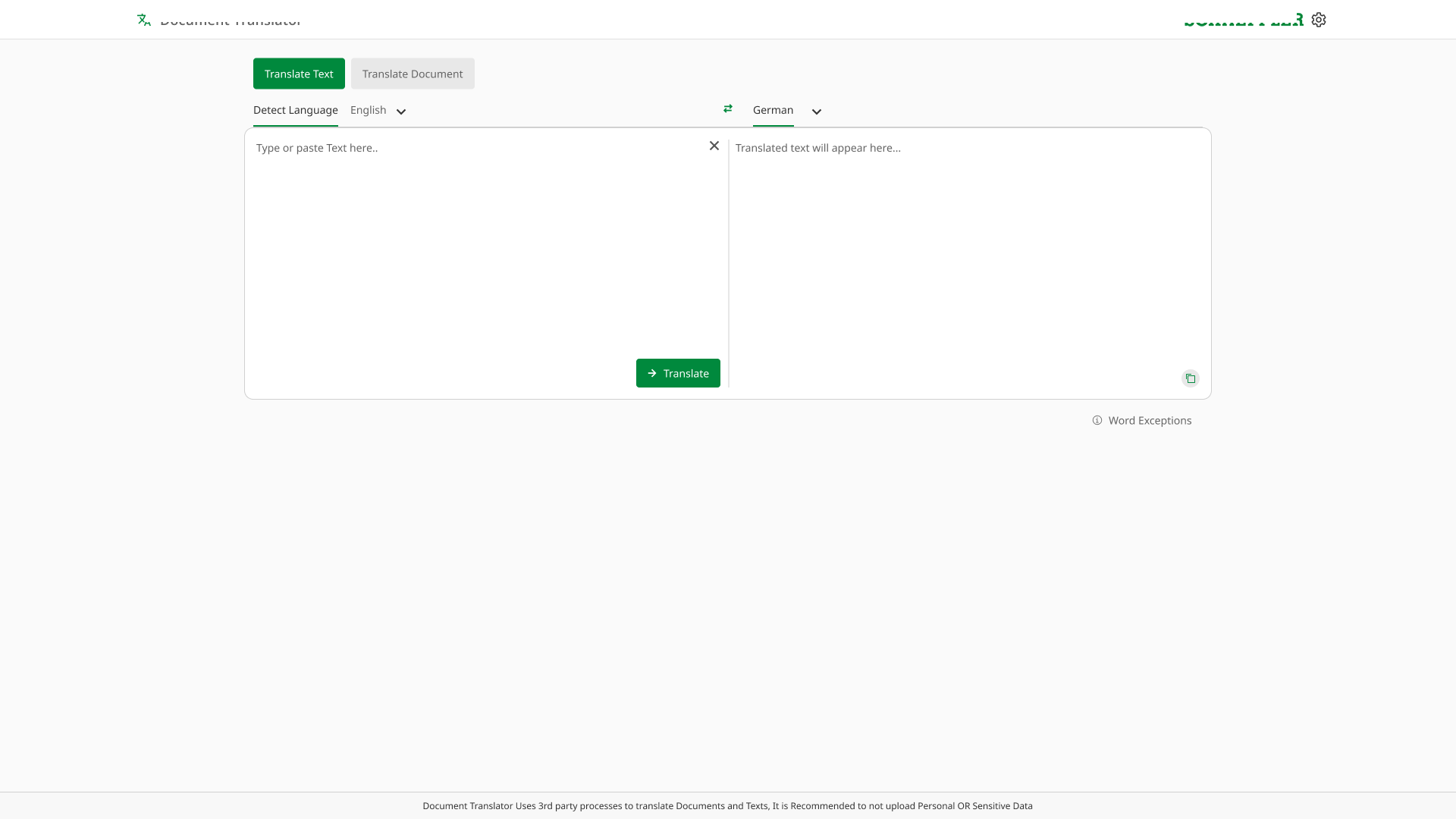
Sensitive company details are redacted. .
The Problem, at a Glance
Technical terms change and document formatting needs repair.
Dedicated text and file workflows with shared terminology controls.
What I Learned
Workflow research highlighted two different needs: quickly translating a piece of text and processing a complete file. Combining both in a single form would add unnecessary steps.
- Short-text users needed quick language selection, comparison, and copying.
- Document users needed clear upload, progress, and download states.
- Both needed control over engineering terms that should not change.
Usability Priorities
- Make the selected language and current processing state clear.
- Provide simple ways to clear text, swap languages, and copy the result.
- Explain how to preserve specialist terms before translation.
A Clearer Workflow
- 01
Text or Document
Paste a short text or upload a file.
- 02
Protect Key Terms
Use the glossary for specialist terminology.
- 03
Review the Result
Compare text or download the translated file.
Key Design Decisions
Two Clear Paths
Separate quick text tasks from document uploads.
Side-by-Side Text
Keep the source and translation visible.
Shared Glossary
Make protected terms easy to manage.
Processing Feedback
Show when a document is ready.
Working with Developers
I worked with the team on reusable Mendix interface patterns and the states needed for text entry, file processing, and glossary management.
The design includes visible privacy information alongside the translation controls, so users can review it before submitting text or documents.
The Result
The resulting interface gives users a clear choice between translating text and translating a document. Glossary controls support consistent terminology, while progress and download states make the document workflow easier to follow.
What I Would Carry Forward
A single product can support different tasks without forcing them into the same flow. Separate entry points and shared terminology controls keep the experience understandable for both occasional and frequent users.